
Managing investments
Link your funds to assets, track investment sizes, and understand how investments drive ESG data requirements.
What is an investment?
An investment connects a financial product (fund) to an asset. It represents the fact that your fund holds a position in a particular company, property, or other instrument.
Each investment tracks:
- Which fund is investing
- Which asset it invests in
- Investment sizes — the value, currency, and period for each position
Creating an investment
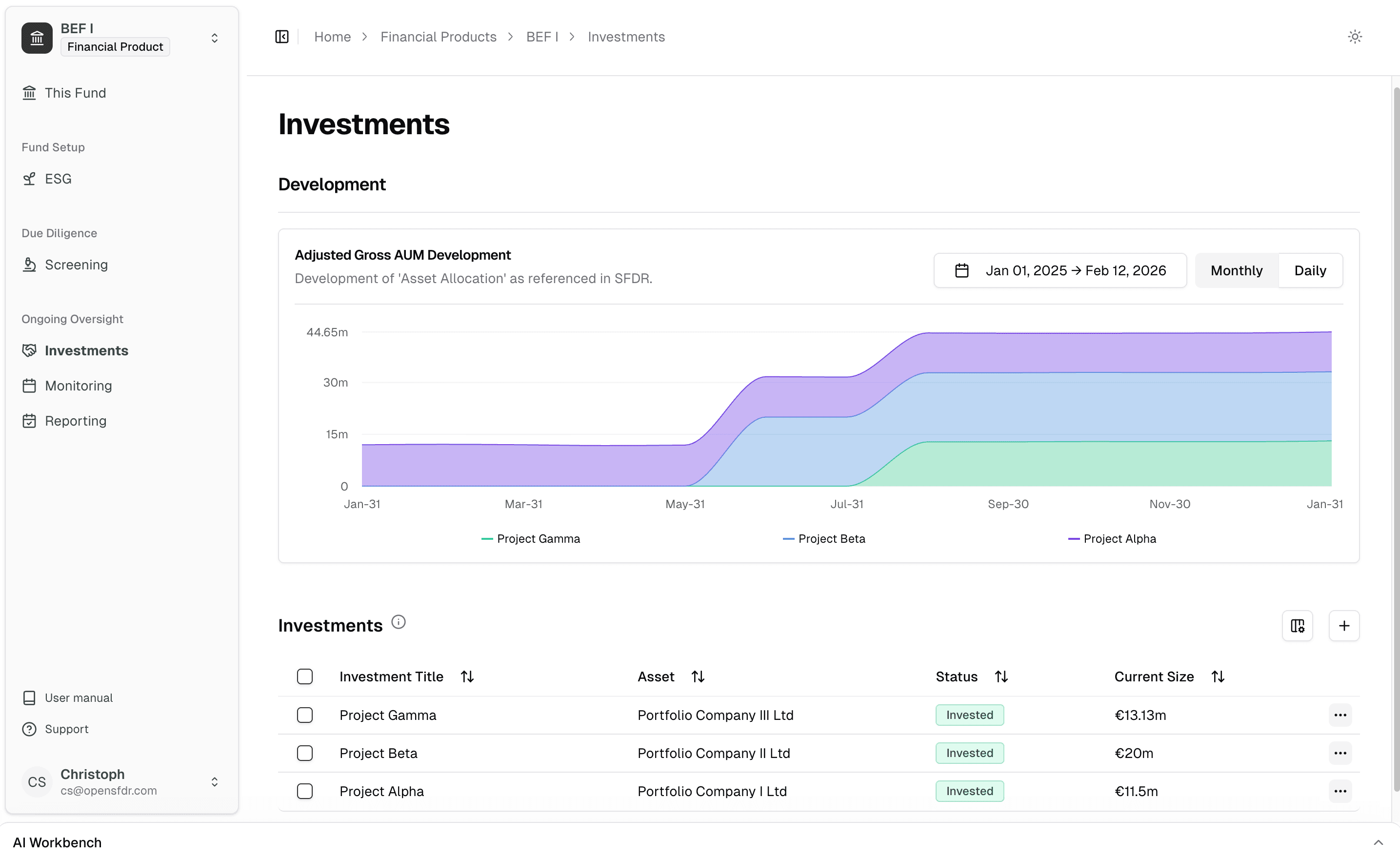
Navigate to your financial product and click Investments in the sidebar. Then click the + button to link an asset.
You'll select the asset your fund invests in and add the investment size — specifying the value, currency, and the period it applies to.
The asset must exist before you can create an investment. You can create it under your own tenant or connect to a separate tenant. See Managing assets for details.
Tracking pipeline investments
You can add an investment without specifying an investment size. This is useful for tracking assets that are still in your pipeline — you've identified them as potential investments but haven't committed capital yet.
Once you're ready to invest, add investment sizes to the investment. This automatically triggers a monitoring request for the asset, covering the timeframe of the investment period. The asset then transitions from a pipeline candidate to an active holding with ongoing ESG data requirements.
If you're onboarding a new asset and want to screen it first, see Creating a screening request for the full workflow.
Investment sizes
Investment sizes represent how much your fund has invested in an asset at a given point in time. Each size has:
- Value — The monetary amount invested
- Currency — The currency of the investment (this may differ from your fund's base currency)
- Period — The time range this size applies to
Investment sizes can change over time — for example, after a follow-on investment or a partial exit. OpenSFDR tracks the full history so your reports always reflect accurate point-in-time values.
How to value different instrument types
The investment size you enter should reflect how the position would be valued under SFDR. The general rule is simple:
- Equity investments — use market value (this mirrors the market capitalisation component of enterprise value)
- Debt investments — use book or nominal value, excluding accrued interest (this mirrors the total debt component of enterprise value)
This consistency matters because SFDR calculates your fund's ownership share by dividing the investment size by the investee's enterprise value. If you value one side differently from the other, the ownership fraction — and everything that depends on it — will be off.
The table below shows how this rule applies to common instrument types:
| Instrument type | Valuation approach | Example |
|---|---|---|
| Listed equity | Market value | Share price × number of shares |
| Preferred shares | Market value | Market price of the preferred shares |
| Bonds / loans / private debt | Nominal or book value (excl. accrued interest) | Outstanding principal amount |
| Cash & deposits | Face value | Amount on deposit |
| Money market funds | Market value | Current NAV of the fund position |
| Derivatives / FX forwards | Positive market value only | Mark-to-market if positive; exclude if negative |
All positions should be represented in your fund — including cash, MMFs, and hedging instruments. These don't generate ESG data requirements, but they are part of your total fund size. Without them, your fund-level metrics (like asset allocation shares or financed emissions per €M invested) would be overstated because the fund size would be too small relative to the capital actually deployed.
Operative vs. non-operative investments
Not every investment in your fund involves an operating company that reports ESG data. Funds typically also hold positions in:
- Money market funds
- Cash or cash equivalents
- Other financial instruments that aren't operatively relevant for SFDR data collection
When creating an investment, you can flag it as non-operative. Non-operative investments are still tracked for fund allocation and reporting purposes, but they don't trigger ESG data collection requirements for the underlying asset.
Under SFDR, "all investments" includes both direct and indirect investments — equity, bonds, derivatives, loans, deposits, cash, and any other financial contracts. Make sure all positions are represented in your fund, even non-operative ones, so your asset allocation and reporting are complete.
How investments drive ESG requirements
When a financial product invests in an asset, that fund's ESG strategy is automatically required for the asset during the investment period. This link is dynamic:
- If the investment period is extended or shortened, the required strategy period adapts automatically.
- If you change the fund's ESG strategy, the updated requirements are reflected across all invested assets.
This means you don't need to manually manage which portfolio companies need to report what — OpenSFDR handles this based on the investment relationships you've set up.
What's next?
- Managing ESG strategies — Define the sustainability criteria your fund applies
- Managing ESG data — Collect sustainability data from portfolio companies
- Managing reports — Generate fund-level SFDR reports
Last updated on