
Managing assets
Create and manage the companies, properties, and other entities your funds invest in.
What is an asset?
An asset is any entity your organization analyzes for ESG purposes — most commonly a company, a real estate property, or a sovereign/supranational instrument. Assets are where sustainability data lives.
For a refresher on how assets fit into the overall structure, see Main concepts.
Creating an asset
Navigate to your tenant and click Assets in the sidebar. Then click the + button to create a new asset.
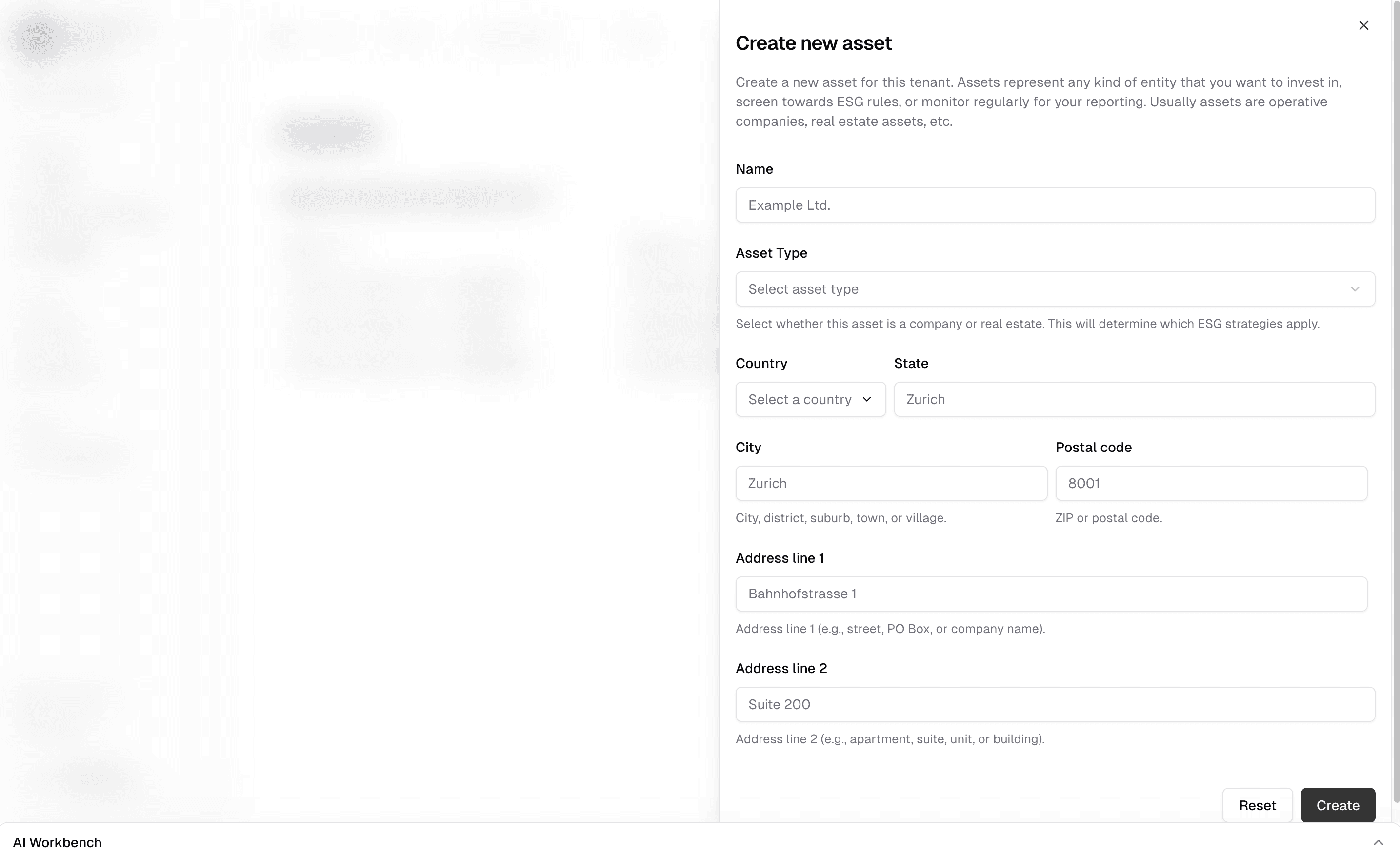
Own tenant vs. separate tenant
When creating an asset, you have an important choice:
- Create it under your own tenant — Best when only your team will manage this asset's data. The asset lives entirely within your organization.
- Create it under a new, separate tenant — Best when the portfolio company (or other external users) will also work on this asset directly. The separate tenant gives them their own workspace, and you connect via tenant sharing.
If the portfolio company already has their own tenant on OpenSFDR, you don't need to create the asset yourself. Connect with their tenant and you'll be able to link your fund's investments to their existing assets.
Working with an asset
Clicking on an asset opens its dedicated view. The sidebar adapts to show everything related to this specific asset:
- Basic data — Adjust the asset's name, type, and other details.
- ESG strategy — Optionally assign additional sustainability strategies to this asset, on top of what's already inherited from the financial products that invest in it. See Managing ESG strategies.
- Screening — Follow up on pre-investment screening requests, separate from any active investment. See Managing ESG data.
- Monitoring — Track the current reporting status for specific periods, linked to the investment status of a fund or to strategies applied directly. See Managing ESG data.
- Reports — Generate ESG reports specifically for this asset. See Managing reports.
What's next?
- Creating a screening request — The full workflow from onboarding an asset to running a pre-investment screening
- Managing investments — Link your funds to assets with investment sizes
- Managing funds — Create and manage your funds
Last updated on