
Finance Workflow
Managing funds
Create and manage the funds and investment vehicles that your SFDR disclosures are based on.
What is a financial product?
A financial product in OpenSFDR represents a fund or investment vehicle — the entity you're making SFDR disclosures about. Each financial product holds investments in various assets.
For a refresher on how financial products relate to other objects, see Main concepts.
Creating a financial product
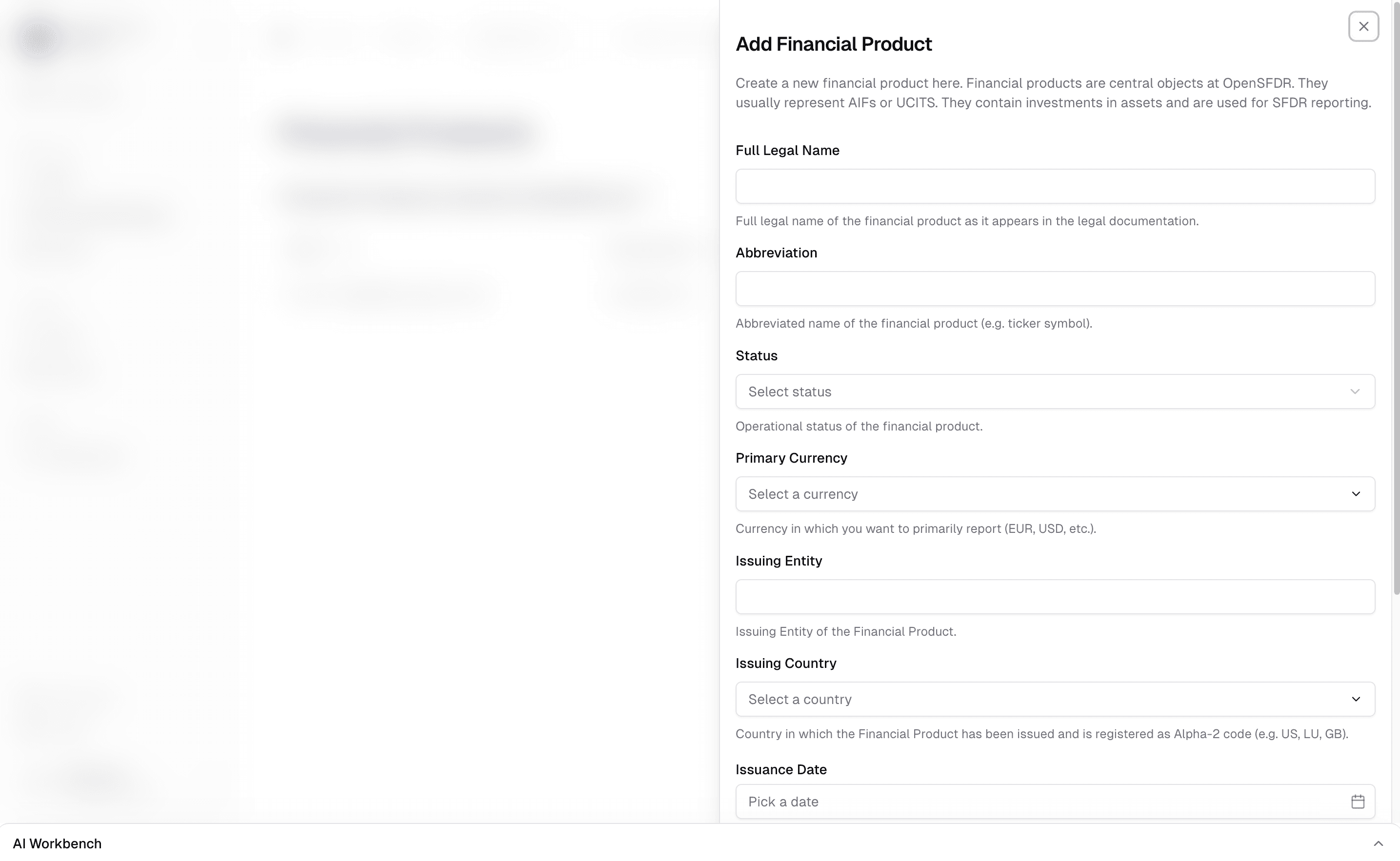
Navigate to your tenant and click Financial Products in the sidebar. Then click the + button to create a new fund.
You'll provide basic information such as:
- Name — The legal name of the fund
- Currency — The fund's base currency
Working with a financial product
Once created, clicking on a financial product opens its dedicated view. The sidebar adapts to show everything related to this specific fund:
- Basic data — Adjust the fund's name and other details.
- Investments — Add and manage investments in assets, review how AUM and asset allocation under SFDR have developed. See Managing investments.
- ESG strategy — Assign and manage the sustainability strategies that apply to this fund. See Managing ESG strategies.
- Screening — Send screening requests to potential investments before committing capital. See Managing ESG data.
- Monitoring — Track the current reporting status of portfolio companies for specific periods. See Managing ESG data.
- Reports — Generate aggregated fund-level reports across different timeframes (ad hoc, monthly, quarterly, annually). See Managing reports.
What's next?
- Managing assets — Create the companies and properties your fund invests in
- Creating a screening request — The full workflow from onboarding an asset to running a screening
- Managing investments — Link your fund to its assets with investment sizes
Last updated on