
Managing ESG strategies
Define your sustainability criteria using indicator strategies and strategy groups, and apply them across your funds and assets.
How ESG strategies work
ESG strategies in OpenSFDR define what sustainability data you need and how to evaluate it. They're built from three layers:
- Indicator definitions — The individual metrics you track (e.g. "Scope 1 GHG Emissions", "Board gender diversity"). OpenSFDR comes with pre-built definitions for standard SFDR requirements, and you can create custom ones.
- Indicator strategies — Collections of rules that define how to evaluate assets against your sustainability criteria. Each strategy contains indicator representations — specifying which indicators to check, how to interpret them, and whether to use them for screening, monitoring, or both.
- Strategy groups — Bundles of indicator strategies applied over a specific time period. Strategy groups determine the conditions under which their sub-strategies are used.
For detailed definitions, see Main concepts.
Managing strategies at tenant level
All strategies are managed at the tenant level, which means they can be reused across multiple funds and assets. Navigate to your tenant and open the ESG section to see an overview of all your indicator definitions, strategies, and strategy groups.
Changes to a strategy are instantly reflected everywhere it's applied — you don't need to update each fund individually.
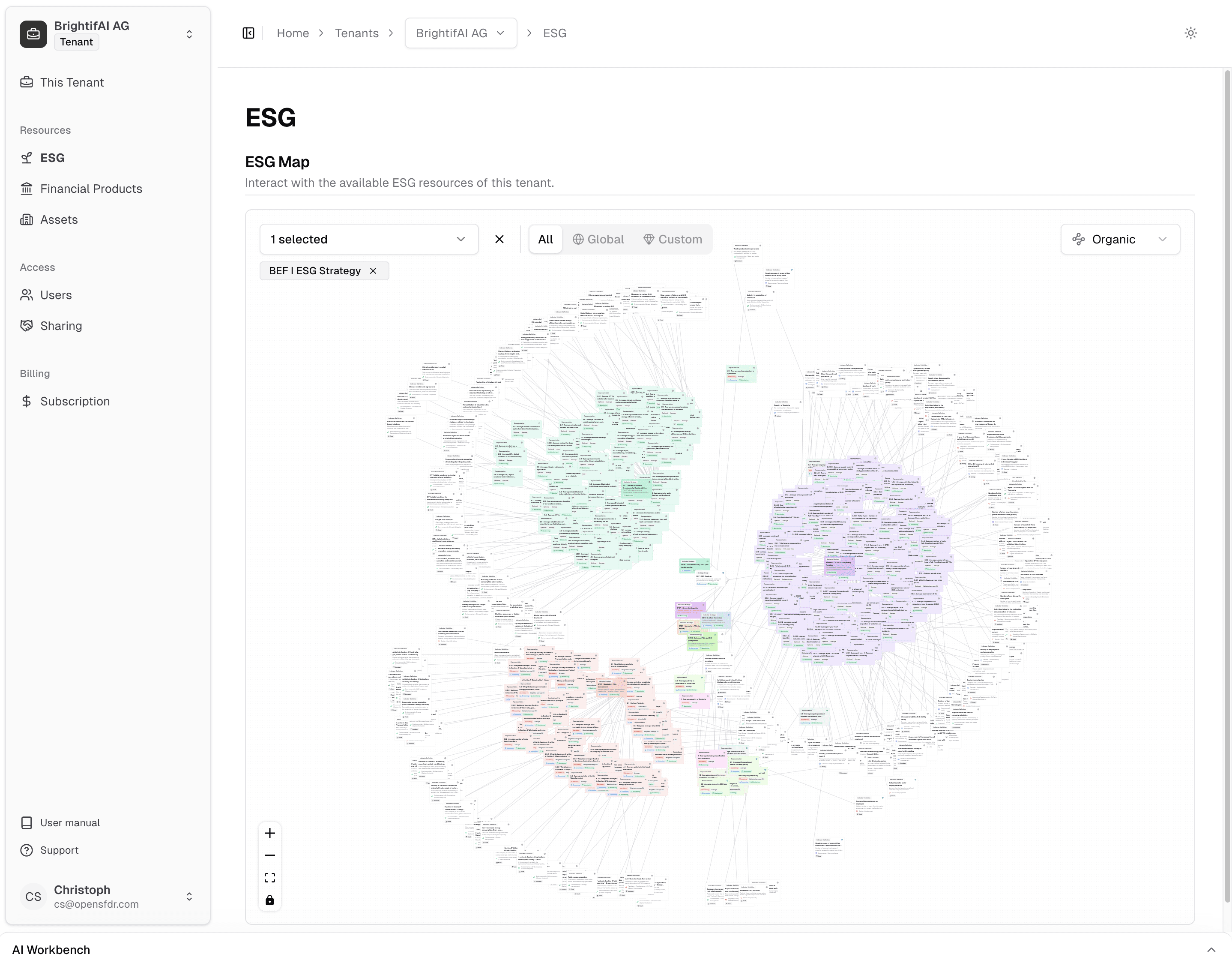
The ESG section includes an ESG Map — a visual overview that shows all your strategy groups, the indicator strategies within them, and how they relate to each other. This makes it easy to see your full ESG setup at a glance and understand which strategies feed into which groups.
Strategy groups
A strategy group is a wrapper around your actual strategies. It sets up:
- Which companies the strategies apply to (e.g. direct investments only, or including subsidiaries)
- The time period during which the strategies are active
- Assignment to financial products and assets
Most organizations use a single strategy group unless they want to apply a strategy group provided by one of their partners. You can also create new groups when regulations change — set the start date to when the new rules take effect without losing historical data.
Assigning strategies to funds and assets
- Financial products — Assign strategy groups from the fund's ESG section. When a fund invests in an asset, the fund's strategy automatically becomes required for that asset during the investment period. See How investments drive ESG requirements.
- Assets — Optionally assign additional strategies directly to an asset, on top of what it inherits from the financial products that invest in it.
Screening vs. monitoring
Each indicator representation within a strategy can be marked for screening, monitoring, or both:
- Screening — Used to evaluate potential investments before committing capital.
- Monitoring — Used for ongoing tracking of existing portfolio holdings.
You can create separate strategies for each purpose, or combine both in a single strategy. See Screening vs. monitoring for more detail.
Adaptive strategies
Strategies can include rules that only apply under certain conditions. For example:
- Require specific governance processes only for companies above a certain employee count
- Apply different thresholds based on the company's industry or size
- Mark a representation as not applicable when a cross-indicator condition isn't met — which will be reported as such
This allows flexible, fine-grained screening without relying on external benchmarks. The rules adapt to the live conditions of each company.
What's next?
- Managing ESG data — Collect and enter sustainability data from your portfolio companies
- Creating reports — Generate SFDR-compliant disclosure reports
- Screening vs. monitoring — Understand the difference between pre-investment and ongoing evaluation