
Connecting with other organizations
Share access between tenants to collaborate with portfolio companies, LPs, auditors, and advisors.
Why connect tenants?
OpenSFDR is built around collaboration between organizations. By connecting your tenant with another, you create a direct link that replaces the emails, spreadsheets, and meetings that typically surround SFDR data sharing.
Common connections include:
- Fund manager → Portfolio company — Share your ESG strategy and access PortCo ESG data directly.
- LP → Fund manager — Give your LP visibility into your financial products and ESG performance.
- Auditor or advisor → Fund manager — Let an external party review your data or manage your ESG setup.
How to connect with another organization
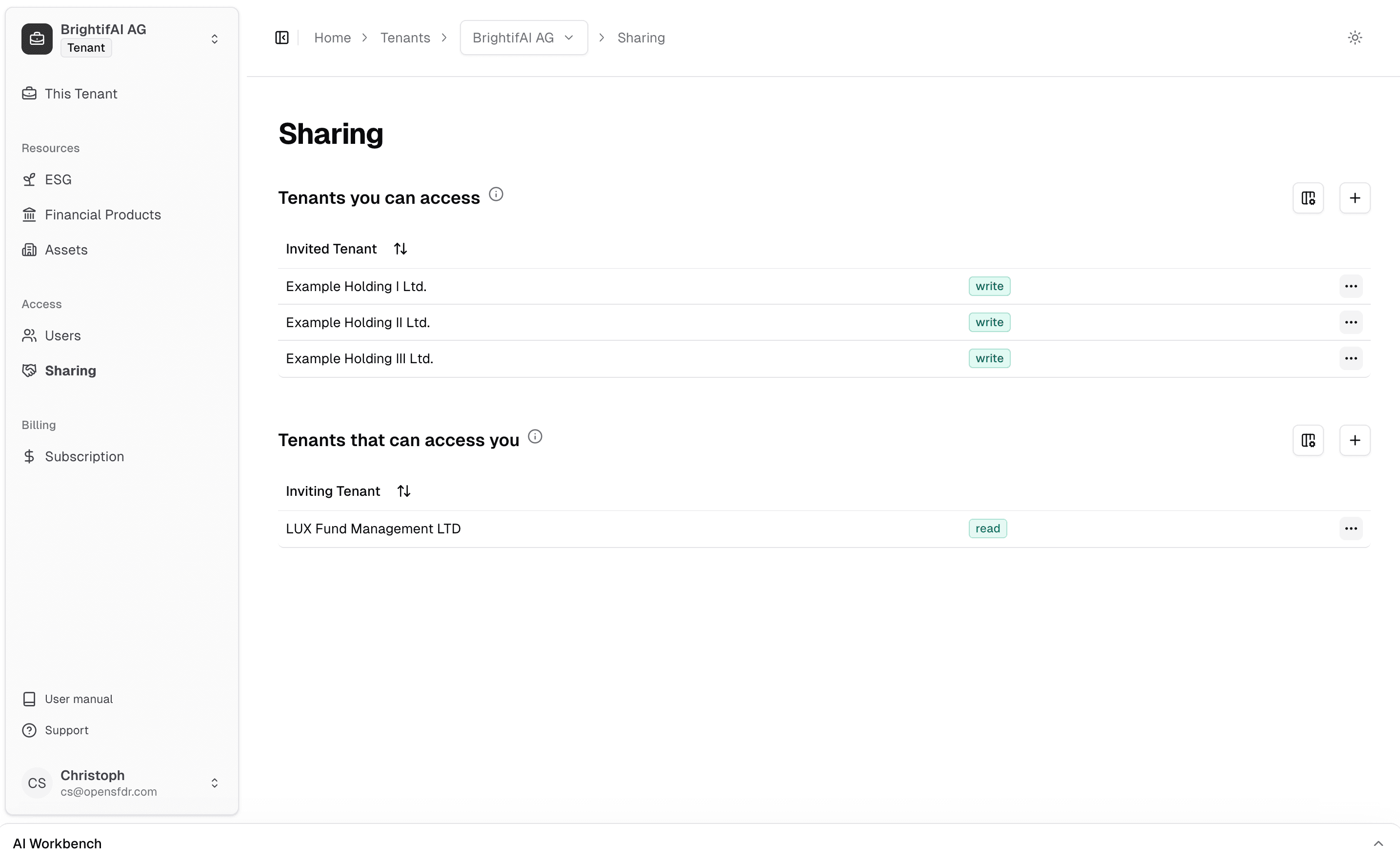
Get the other tenant's identifier
To connect, you'll need the tenant identifier of the organization you want to connect with. They can find this in their own Sharing section.
If the other organization isn't on OpenSFDR yet, ask them to create an account first. They can then share their tenant identifier with you.
Send a connection request
Click the + button, enter the other tenant's identifier, and choose the level of access you want to grant:
- Read access — They can view your data but not make changes.
- Write access — They can view and edit your data, just like a member of your own team.
The other organization will receive your connection request.
Wait for acceptance
Once the other organization accepts your request, the connection is active. They'll see your tenant and the data you've shared, based on the access level you chose.
When you create a tenant yourself, you automatically have write access to it — no extra setup needed. However, if the tenant was already created by someone else, you'll need to request write access via the Sharing panel before you can add assets or make changes.
Managing connections
You can review and manage all your active connections in the Sharing section. From here you can adjust access levels or disconnect from a tenant if the relationship ends.
What's next?
- Creating your first fund — Set up a financial product and start collecting data
- Inviting users — Add team members to your own tenant
Last updated on