
Navigating the app
Understand how OpenSFDR's interface adapts to the object you're working on.
Objects shape the interface
OpenSFDR is organized around three types of objects: tenants, assets, and financial products. The entire interface — sidebar, available actions, and displayed data — adapts based on which object you currently have selected.
- Tenant selected — You see tenant-level management: users, sharing, ESG strategies, subscription, and an overview of all your assets and funds.
- Financial product selected — You see everything related to that fund: its investments, ESG strategy, screening, monitoring, and reports.
- Asset selected — You see everything related to that company or property: its ESG data, screening status, monitoring, and reports.
This means you don't navigate through deeply nested menus. Instead, you select the object you want to work on, and the interface gives you exactly the tools and data relevant to it.
For a full explanation of what each object type represents, see Main concepts.
Selecting an object
There are two ways to switch between objects:
From the home page
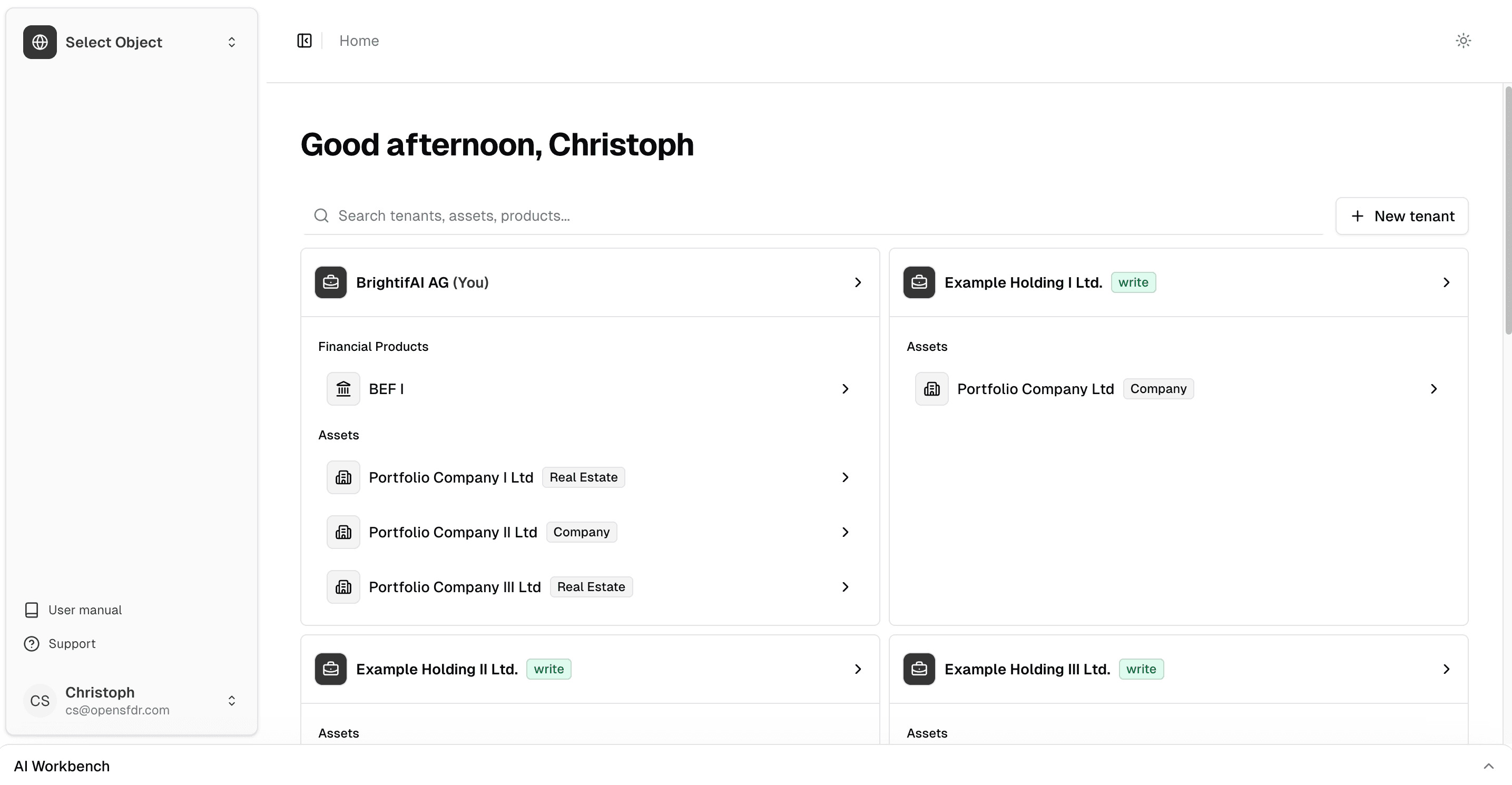
Click Home at the top of the page to return to the root page. This shows all of your tenants, assets, and financial products in one view. Click on any object to select it.
From the object switcher
At the top of the sidebar, you'll see the name of the currently active object. Click on it to open the object switcher — a dropdown that lets you quickly jump to any other tenant, asset, or financial product without going back to the home page.
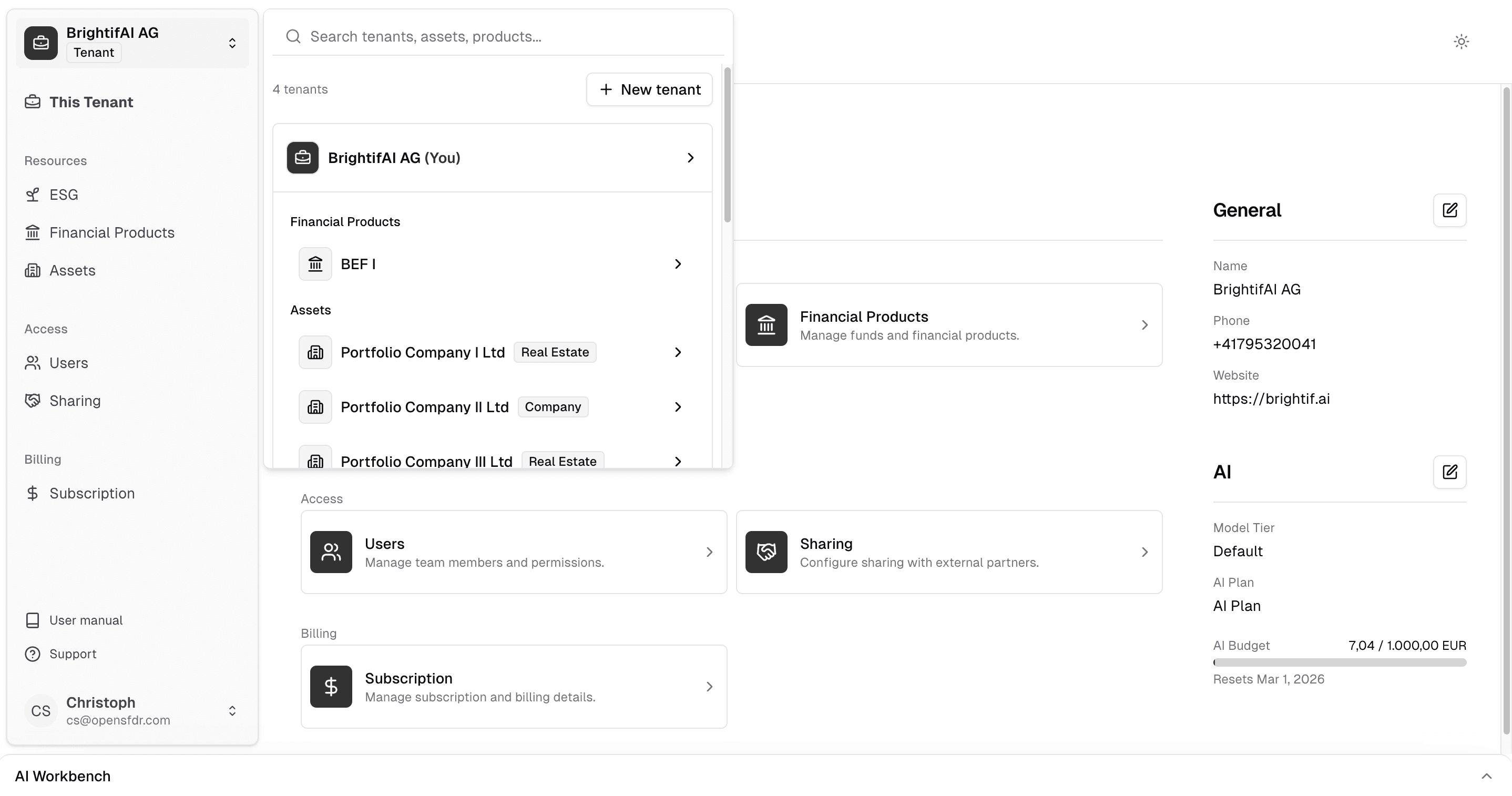
The object switcher is the fastest way to move between objects while you're working. Use the home page when you want a full overview of everything in your account.
What's next?
- Inviting users — Add team members to your tenant
- Connecting with other organizations — Share access with portfolio companies and LPs
- Creating your first fund — Set up a financial product
Last updated on